

Set a collection code
Add your own reference — such as an ERP voucher number or bank reference — to a collection, for reconciling it against your other systems. This is separate from the collection’s own serial number, which the system assigns and you cannot change.
Before you start
Section titled “Before you start”- You need the
sales:collections/setCodepermission. - Your workspace’s configured workflow must currently allow setting a code on this collection’s status — it is not always available.
-
Open the collection’s details and choose Set code.
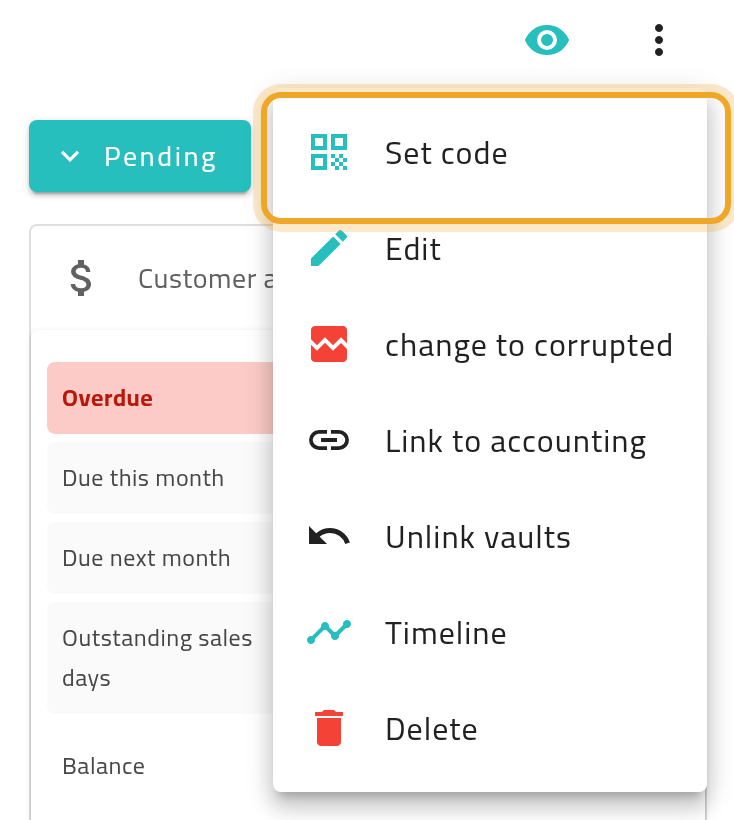
-
Enter the code — up to 10 characters.
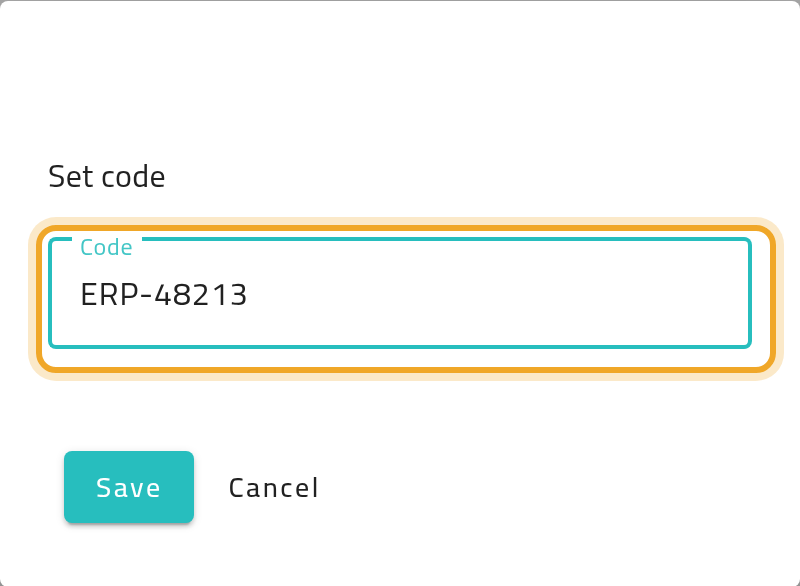
-
Choose Save.
What can go wrong
Section titled “What can go wrong”Saving fails with a raw error instead of a clear message
Section titled “Saving fails with a raw error instead of a clear message”If your code is longer than 10 characters, the app does not always catch this before sending it, so you may see a technical-looking error rather than a plain “too long” message. Shorten the code to 10 characters or fewer and try again.